
Picsart is a powerful AI-enabled creative platform that transforms simple text prompts or raw media into polished visuals—images, videos, designs—without requiring professional editing skills. According to Picsart, their “AI design tools … help you materialize your imagination with ease.”
Whether you’re a creator, marketer, freelancer or business user, Picsart enables you to bring visual ideas to life quickly, dramatically lowering the barrier to high-quality content creation.
Key Features & Workflow
Templates, Prompts & Customization
● Picsart offers a wide library of templates and design tools: for social graphics, posters, logos, backgrounds and more.
● With its text-to-image generator (“AI Image Generator”), you can type a description and receive a fully generated image in seconds.
For example: “Create a cozy coffee shop poster with soft lighting.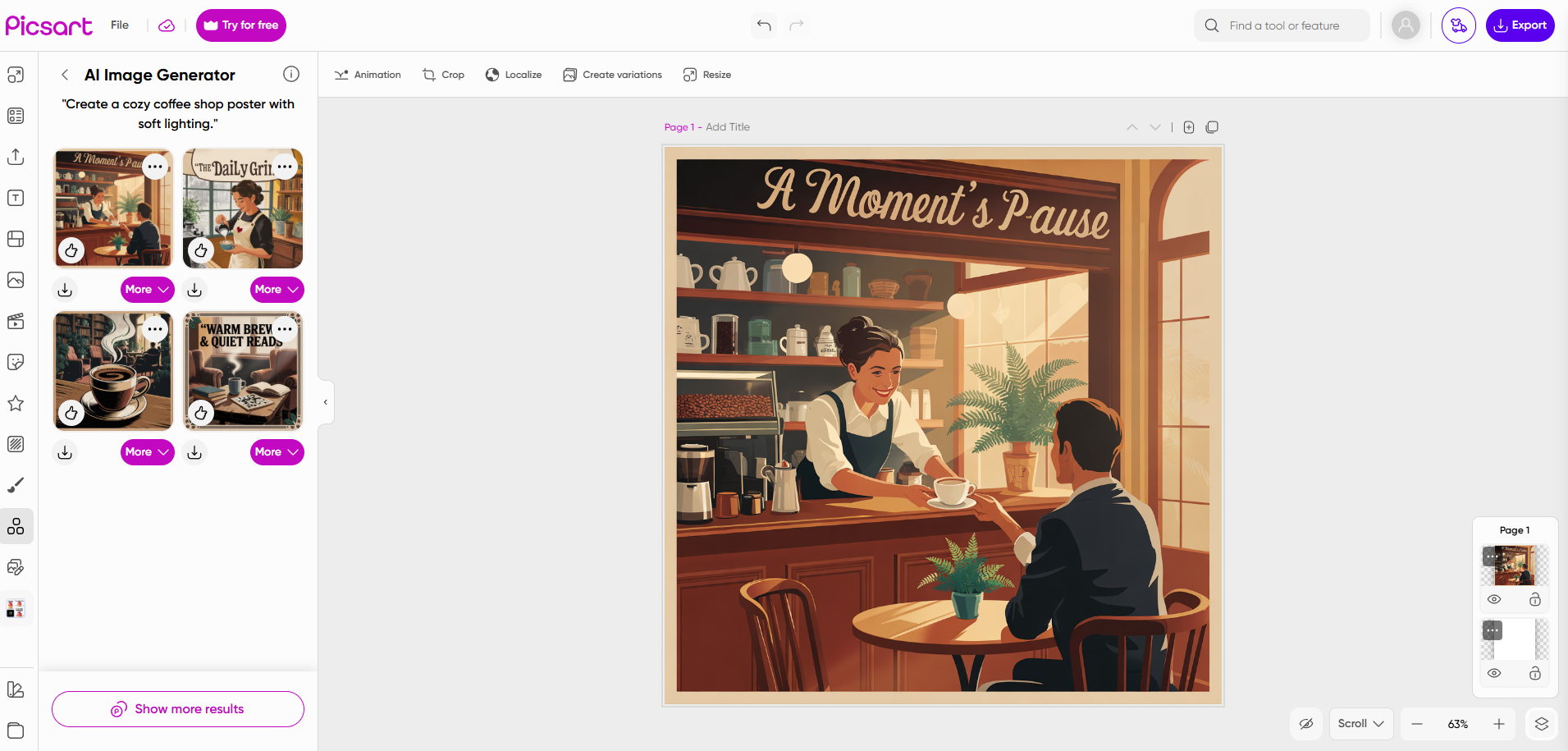
● After the initial generation, you can refine and customize via built-in editing tools: change colors, add or remove objects, swap backgrounds, adjust styles. The UI is designed to be intuitive even for non-designers.
Registering, Project Setup & Workflow
1. Sign up for a Picsart account (using email, Google, Apple or social login) and choose either the web or mobile app version.
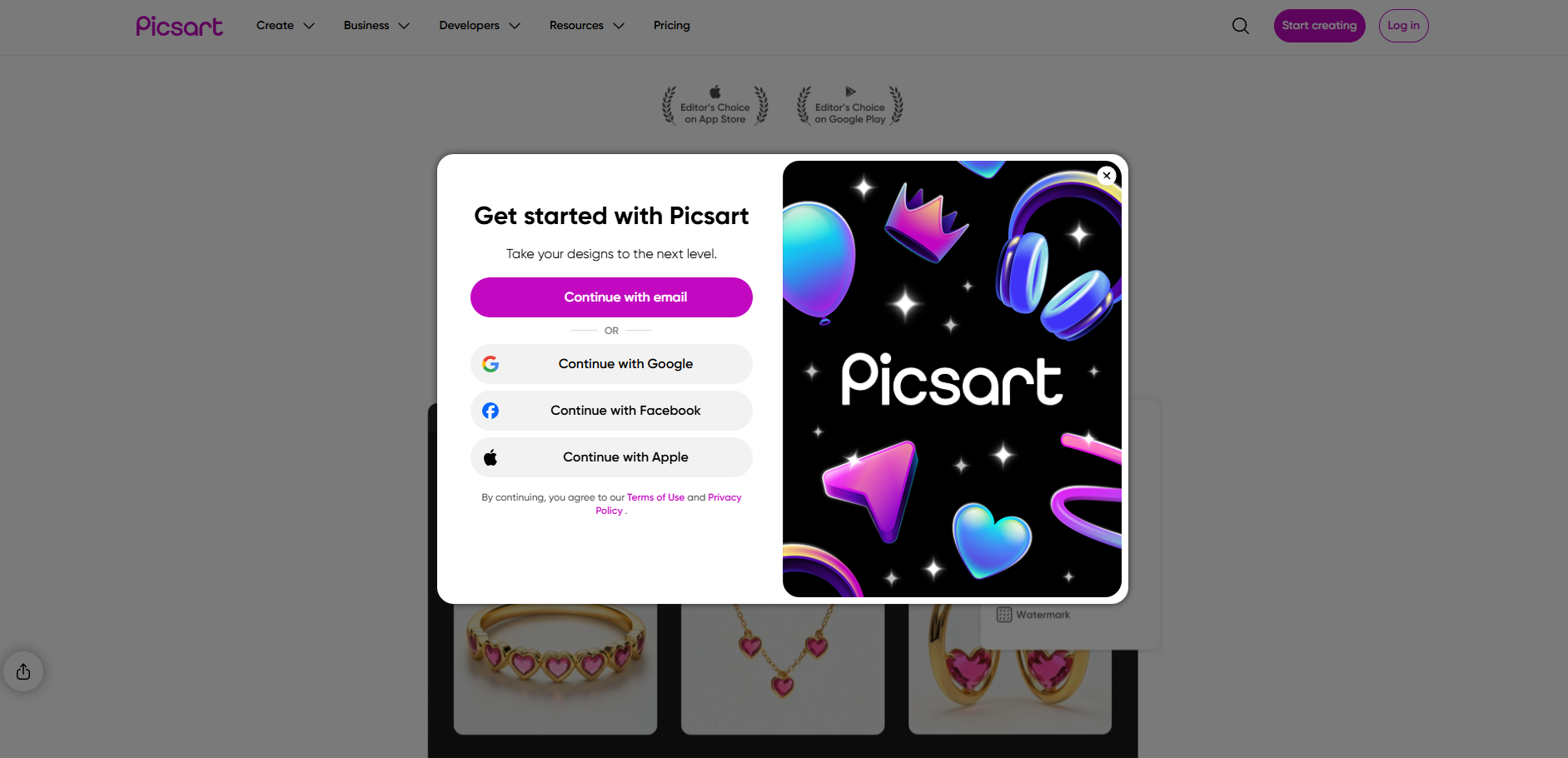
2. Choose the type of asset you want to create (photo, video, graphic design) — the interface will guide you into the appropriate workspace.
3. For AI-generated visuals: invoke the AI Image Generator, input your prompt (brief or detailed), choose style/mood if desired, then generate.
4. Use the editing canvas to fine-tune: swap backgrounds, remove objects, adjust lighting/contrast, apply filters or brand fonts.
5. Export/download your final asset in the format you need (PNG, JPG, video format) and use across social media, marketing, print or other channels.
Practical Example: From Idea to Visual
Imagine you need a promotional poster for a pet adoption event. Here’s a streamlined process using Picsart:
● Prompt: “Design a warm poster for a pet-adoption fair in a community park, autumn foliage background, friendly font.”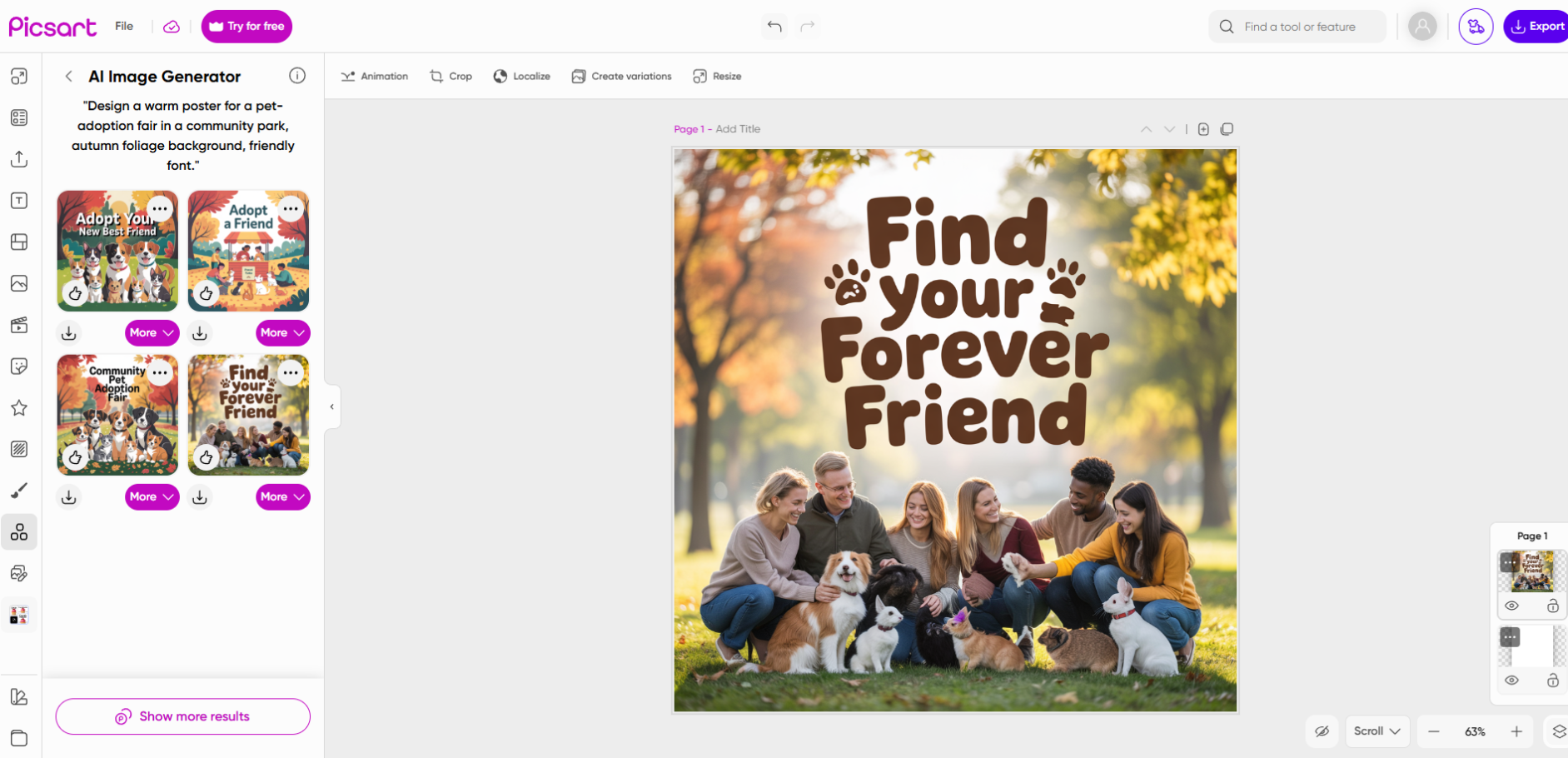
● Picsart’s text-to-image generator produces a complete poster concept.
● In the editor: change the headline font to match your brand, replace background from autumn to sunset orange, add a small puppy illustration in the corner.
● Finalize and export — you now have a ready-to-use promotional asset in minutes.
This type of end-to-end workflow—idea → prompt → generation → edit → export—is precisely what Picsart’s AI tools aim to enable.
Core AI Tools & Their Benefits
Picsart integrates a broad suite of AI-powered tools that cover major creative needs:
● AI Image Generator (text-to-image): Convert a textual description into a full, high-quality image (supports high resolution up to 8K).
● AI Photo Editor & Enhancer: Over 25 built-in AI tools for color correction, object removal, restoration and extending images (e.g., AI Image Extender).
● Background / Object Removal & Replacement: One-tap tools to remove backgrounds or swap objects.
● Additional tools & workflows: Avatars, GIF generation, video editing features, mockup creator, background generation, etc.
Benefit summary: These tools help you save time, reduce reliance on external designers or stock assets, maintain visual brand consistency and produce content that stands out.
Who It’s For & Ideal Use-Cases
Ideal users
● Creators & influencers who need frequent social-media visuals, stories, reels, and dynamic content.
● Small businesses & freelancers needing marketing assets (banners, ads, product photos, posters) without hiring a designer.
● Marketers & content teams looking for efficient ways to generate variant visuals (A/B tests, localized assets, quick campaigns).
● Non-designers who have ideas but lack the editing expertise—Picsart allows them to convert vision into output.
Typical scenarios
● A local café uses Picsart to generate seasonal social-media posters.
● An e-commerce seller creates mock-up product shots and banners using AI background replacement and text prompts.
● A content creator generates avatar styles or GIFs quickly for engagement.
● A marketing team uses template workflows and batch-edit features for consistent branding across platforms.
Final Evaluation
Picsart stands out as a versatile and accessible AI creative platform. It succeeds in bridging the gap between idea and execution by providing:
● A straightforward workflow from prompt → generation → customization → export.
● A broad array of AI tools that cater to both quick edits and deeper creative work.
● Usability for non-designers without sacrificing capabilities needed by professionals.
It may not replace a full design studio for ultra-bespoke or highly specialized work, but for most content-creation demands—social posts, marketing assets, e-commerce visuals, community projects—it offers tremendous value in terms of speed, flexibility and cost-efficiency.
If you’re looking to accelerate visual content creation, maintain brand consistency and reduce reliance on external design resources, Picsart is absolutely worth exploring—starting with its free tier and testing how well its AI tools align with your workflow and creative needs.