


AI Gahaku: Photo to Painting
Hot Novels



Install Tips
Mobile safety & integrity report for the latest package. We provide verifiable checksums and a timestamped scan summary. Latest package AI Gahaku: Photo to Painting 3.16.8(404) scanned by multiple engines; no threats detectedas of Tue, 28 Jul 2026 11:13:52 GMT.
After downloading, use a system or third-party checksum tool to calculate the SHA256 and ensure it matches the value provided on this page (case-sensitive, without spaces).
Each engine uses different signature databases and heuristics, so results may vary slightly. We provide a timestamp and checksum to allow you to independently verify the package.
AI Gahaku: Photo to Painting Review
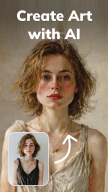
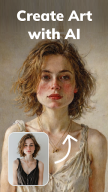
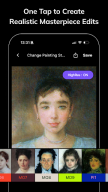
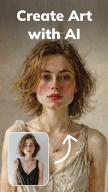
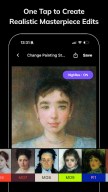
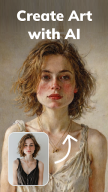
AI Artist is a revolutionary app that transforms your face and landscape photos into professional-looking paintings. With this app, you can turn everyday moments into gallery-worthy artworks. Its intuitive interface and diverse filters allow you to create art masterpieces from any picture.
Key Features:
1. Over 300 Face Filters
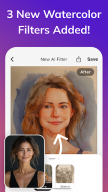
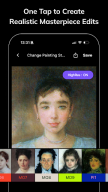
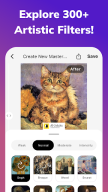
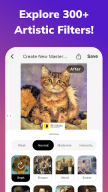
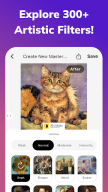
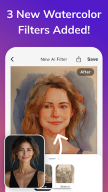
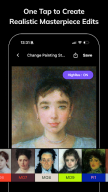
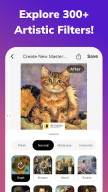
AI Artist offers over 300 face filters. From classic portraits to modern pop art, you can experiment with various art styles. Select your face photo and convert it into a masterpiece with just one tap. Discover your favorite style!
Enjoy filters that transform your photos into manga, anime, caricature, and illustration styles, resembling the works of Ghibli and Disney.
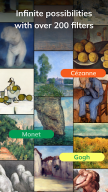
2. Over 200 Landscape Filters
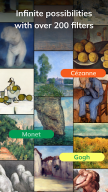
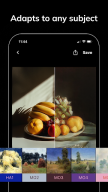
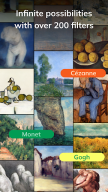
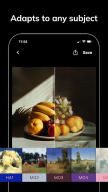
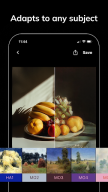
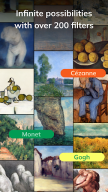
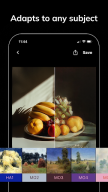
Not only face photos, but landscape photos can also be transformed into paintings. Your landscape photos can be reborn in the style of famous artists like Cézanne, Monet, and Picasso. Enjoy nature and urban landscapes as art.
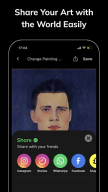
3. Easy Sharing
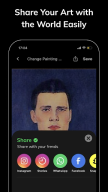
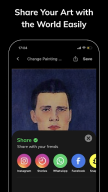
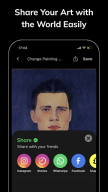
Share your created artworks with just one tap on social media. Share your art with friends and family on platforms like Instagram, Facebook, and Twitter, and broadcast your creations to the world.
4. High-Resolution Saving
AI Artist allows you to save your artworks in high resolution. Beautifully detailed saved artworks are perfect for digital frames or printing and displaying.
5. Intuitive Operation
The app has a simple and easy-to-use UI design. Even beginners can easily create professional art in a short time.
6. Continuous Updates
New filters and features are added regularly. You can always enjoy the latest art styles.
How to Use AI Artist:
Select a Photo
Choose a photo from your gallery or take a new photo within the app using the camera.
Choose a Filter
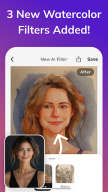
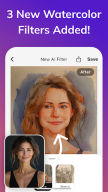
Select your preferred art style filter from a variety of face and landscape filters. Enjoy effects such as oil painting, watercolor, caricature, anime, and illustration.
Adjust and Save
Apply the filter and make any necessary adjustments. Save the high-resolution artwork.
Share
Share your created artworks on social media to spread your creative works!
Download AI Artist and transform your photos into stunning art. Enjoy the unique experience of turning everyday moments into masterpieces. With this free app, you can also be an art maker!
Changelog
• Added image frame feature
• Enhanced app stability and performance
• Improved multi-language support
Additional information
Screenshots
Reviews
Recommend Article







Similar Apps

Tool to create 3D floor plans

No 3rd-party ads! no in-app purchases! All functions are available to users!
Trace, paint, and design with AR and expert guidance.

Create stunning balloon decorations for any celebration in minutes.
Learn how to draw with step-by-step tutorials, fun lessons & multiplayer drawing
Transform any ideas into stunning artwork instantly with Smart AI Art Technology