


AiScreen
Hot Novels






Install Tips
Mobile safety & integrity report for the latest package. We provide verifiable checksums and a timestamped scan summary. Latest package AiScreen 1.1(56) scanned by multiple engines; no threats detectedas of Tue, 28 Jul 2026 11:14:02 GMT.
After downloading, use a system or third-party checksum tool to calculate the SHA256 and ensure it matches the value provided on this page (case-sensitive, without spaces).
Each engine uses different signature databases and heuristics, so results may vary slightly. We provide a timestamp and checksum to allow you to independently verify the package.
AiScreen Review

AiScreen is a simple and efficient Android utility that lets you create shortcuts on your home screen to instantly launch two apps in split screen mode.
No need to open apps manually every time — with AiScreen, you can start your favorite app pair in one tap.
Key Features
Create Split Screen Shortcuts
Easily make shortcuts on your home screen.
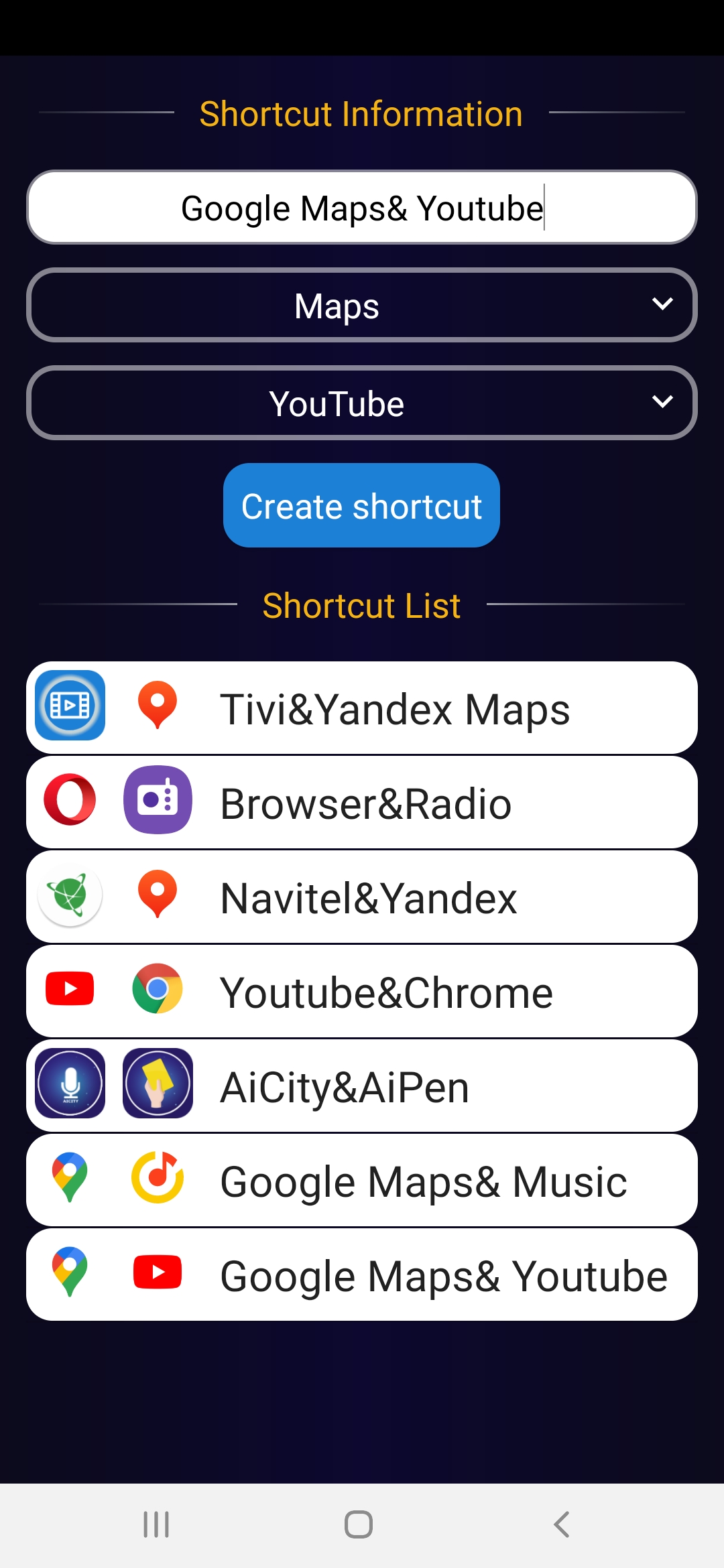
Assign a name and choose your first and second app to open together.
Quick Launch from Shortcut
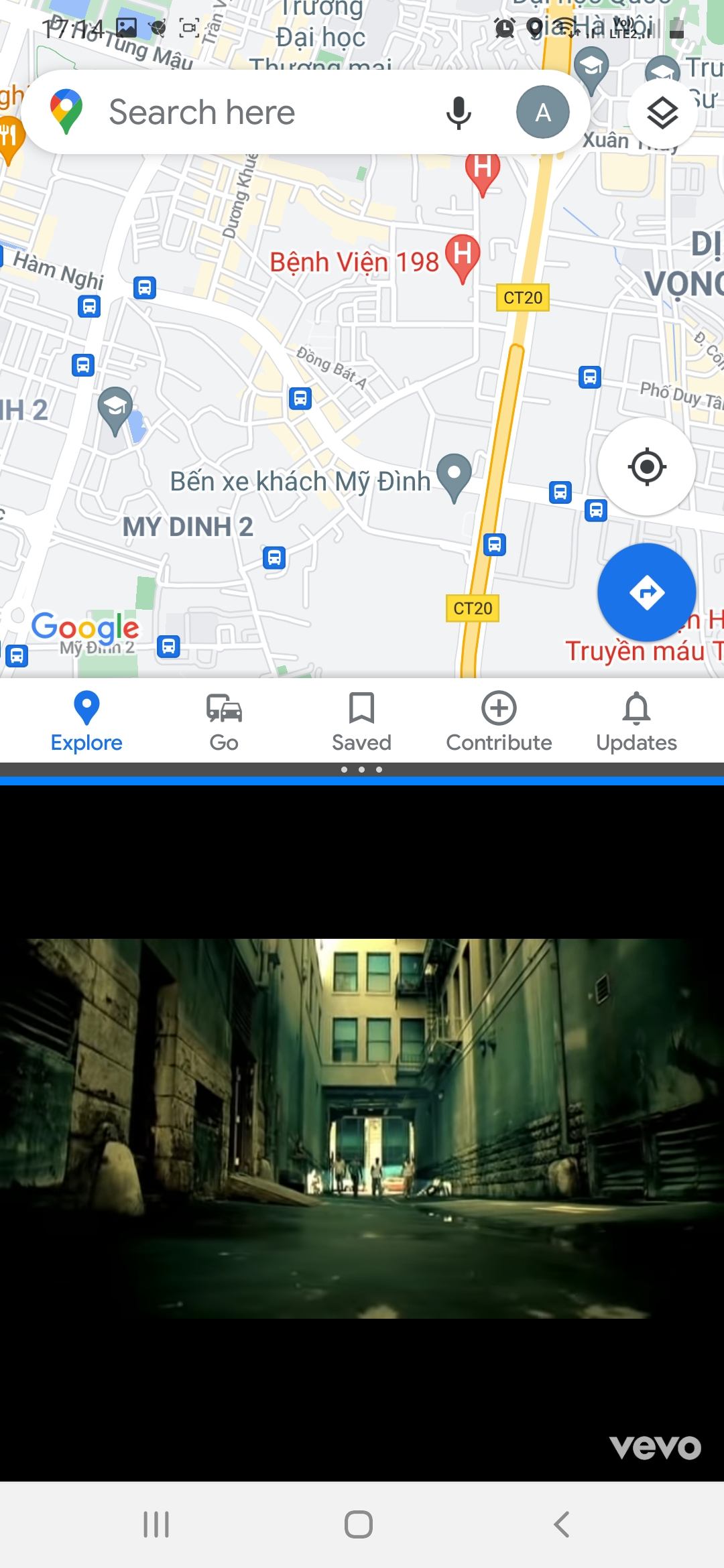
Tap your custom shortcut to instantly launch both apps in split screen mode.
Perfect for multitasking — for example, open YouTube and Chrome, or Messages and Notes side by side.
Launch from App List
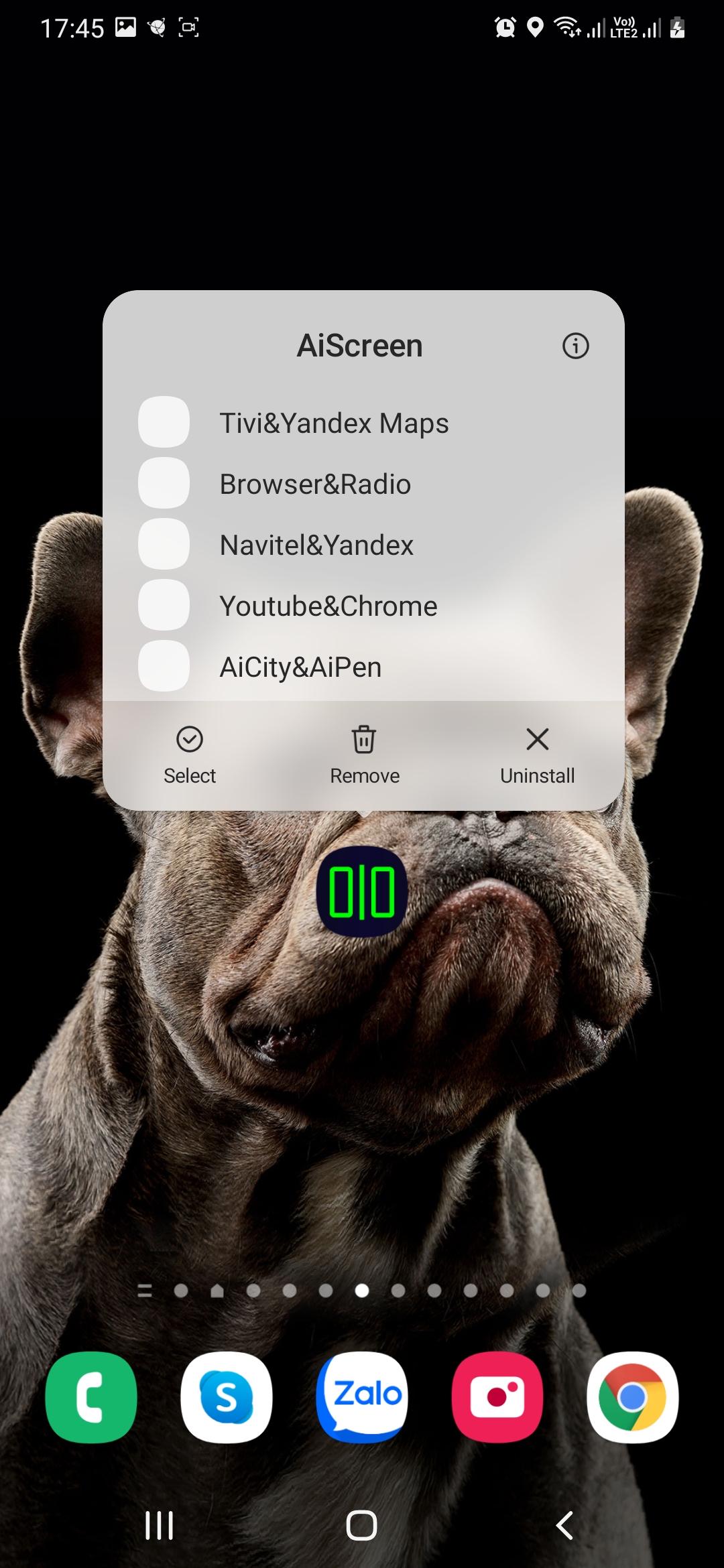
Use the list view inside AiScreen to select and open your saved shortcut combinations.
Fast, clean, and minimal interface for efficient multitasking.
How It Works
Open AiScreen and create a new shortcut.
Enter a shortcut name.
Select the first and second app you want to use together.
Add the shortcut to your home screen.
Tap it anytime to start both apps directly in split screen mode.
Why Choose AiScreen
Saves time and simplifies multitasking.
No complicated setup — just select and launch.
Lightweight and responsive.
Works with most Android devices that support split screen.
Whether you’re a productivity enthusiast or a casual user who often switches between apps, AiScreen APK makes multitasking smoother, faster, and more organized.
Changelog
Oct 27, 2021
Create shortcuts on home screen to launch two apps directly in split screen mode Download the latest version of AiScreen - Split Screen Shortc 1.1 to enjoy new features and updates immediately!
AiScreen - Shortcut to split screen. The app has shortcut and list item for launch 2 apps at the same time ★ Create shortcut (fill shortcut name, select first and second app) ★ Launch via shortcut ★ Launch via clicking list item of shortcut
FAQ
Additional information
Screenshots
Reviews
Recommend Article










Similar Apps

True 5G, recharges, payments & UPI, music & movies, backup, games, news & more.

Scan docs & photo to PDF easily! Send and share as PDF with ACE Scanner app.

AI Chatbot and AI writing assistant powered by ChatGPT.
Markdown-based knowledge base for organized note-taking and idea linking.

AI Chatbot powered by the latest AI models. Ask Nova AI to write anything.
Protect your device from viruses & clean junk files with this antivirus app