


au Car Navigation:Android Auto
Hot Novels






Install Tips
au Car Navigation:Android Auto Review
★ For first-time monthly subscribers, enjoy
31 days free
! Take advantage of this offer now! ★
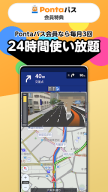
★ Additionally, for users of au Smart Pass/au Smart Pass Premium (paid), enjoy up to 2 months free (first month + 1 additional month)! ★
▷▷▷ What is au Car Navigation?
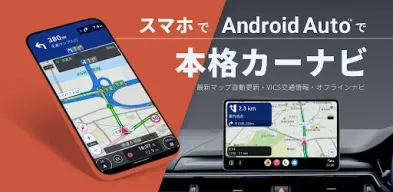
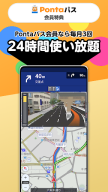
au Car Navigation is a full-featured car navigation app that can be used offline. Even offline, smooth navigation is available, and with online access, you can utilize the latest maps and real-time information. Equipped with route search features that consider the latest VICS traffic information and traffic conditions, it quickly identifies detours from congestion. You can also search for points of interest such as service areas and parking areas, ensuring a comfortable drive to your destination. (KDDI/Powered by NAVITIME)
▷▷▷ Features of au Car Navigation
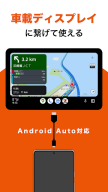
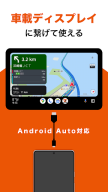
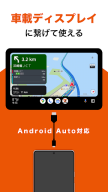
● Android Auto
Simply connect to an Android Auto-compatible display for safer and more comfortable navigation while driving.
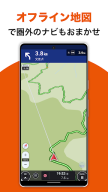
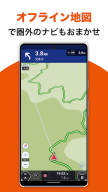
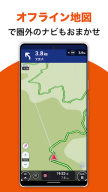
● Offline Route Search & Navigation
Navigate using downloaded maps on your device even when offline.
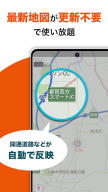
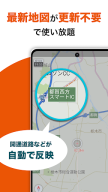
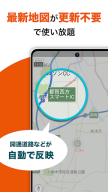
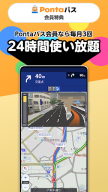
● Always Up-to-Date Maps
Access the latest maps online.
● Abundant Route Variations
Choose from up to 6 routes.
● Personalized Route Prioritization
Searches and navigates routes prioritizing roads frequently traveled based on your driving history.
● Route Search Considering Traffic Congestion & Real-Time Rerouting Suggestions
Offers comfortable routes by considering updated VICS traffic information every minute.
● Real-Time Information
View parking congestion information on the map.
● Vehicle-Specific Toll Display
Displays toll fees on highways and toll roads considering vehicle types such as compact cars, regular cars, mid-sized cars, large cars, and extra-large cars.
● Route Considering Vehicle Height/Width
Proposes routes considering vehicle height/width.
■ Recommended for
- Those who want to use navigation with always up-to-date maps!
- Those who want information on speed cameras!
- Those who want to use an offline-compatible car navigation!
- Those who want to check road conditions with live cameras!
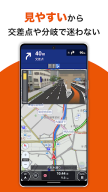
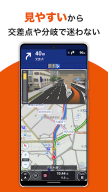
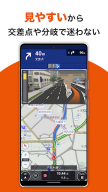
- Those who want clear navigation such as traffic signal guidance!
- Those who want to use it with Android Auto!
Users of Pioneer, Kenwood, Alpine, and Panasonic display audio.
- Those who want to use an official, reliable, and safe car navigation!
- Those who want voice navigation like the one installed in their car!
- Those who want a smoothly running car navigation even on an older smartphone!
- Those who want to try using navigation on a tablet!
- Those who absolutely want to avoid traffic congestion!
▷▷▷ Compatible Devices
Android™ OS 5.0 or higher smartphones
※Devices with "x86" CPUs are not guaranteed to operate. Please note.
(MeMOPad8 series, ZenFone2, etc.)
▷▷▷ Price
Monthly: ¥600 (tax included)
※Free download, with a 31-day free trial period available only at initial registration.
※No payment will be charged if canceled during the trial period.
※Cannot be purchased with Google Play gift cards.
▷▷▷ Data Size (as of March 13, 2023)
App size: Approximately 80MB
Map data size: Approximately 2.4GB
We recommend a Wi-Fi connection for downloading.
---
[This translation complies with the character limit.]
Additional information
Screenshots



Reviews
Recommend Article








Similar Apps
GPS Route Finder guides the way: GPS offline, GPS Navigation, driving directions

Phone Tracker and GPS Location Sharing
Phone Tracker & GPS Location: Share location by codes to keep loved ones safe
GPS Speedometer, Speed Meter: Speed tracker, Odometer, measure distance & time

Bolt is a ride-hailing app for requesting fast, safe, and affordable transport

Neshan: map & navigation app with 20M+ monthly active users