

Color night scanner VR
Hot Novels






Install Tips
Color night scanner VR Review
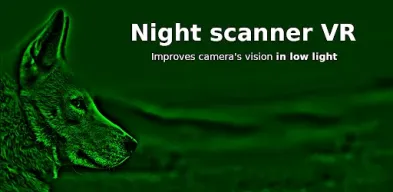
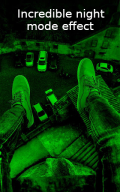
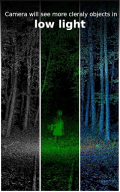
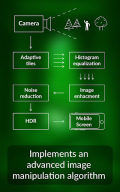
Color night scanner has an advanced algorithm to provide bright photos and video in low luminosity.
Features:
Virtual reality mode (VR)
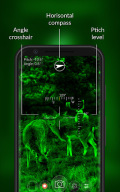
Compass - in portrait and landscape phone modes
Noise removal
Camera gain control
Exposure control
Color, green and black and white filters.
Angle cross-hair.
Pitch level.
Front camera
Zoom, flash and fast capture.
Full portrait/landscape support.
Edit photos from your device.
Set wallpaper or share to Facebook, Instagram, TikTok or upload to cloud.
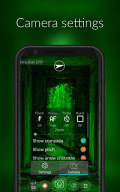
A ton of more customization options! You can adjust shutter sound, bright screen, volume key functions, record with audio, burst shooting, grid lines, crop guide, video and image resolution, capture size, various display information and many more.
Night scanner camera allows you to save photos from camera, record videos and apply effects on photos from gallery.
The algorithm used is now revealed! It is called Adaptive histogram equalization a digital image processing technique used to enhance the contrast of images. It differs from normal histogram equalization in the respect that the adaptive method enhances the contrast locally. Algorithm is greatly used in medical imaging like endoscopes, x-rays, space images from NASA and in general in cases were camera vision is difficult. For more details please follow the wiki link below
https://en.wikipedia.org/wiki/Adaptive_histogram_equalization
Disclaimer: this is not a night vision app. Night vision equipment uses optoelectronic image enhancement technology. This technology uses a series of optical lenses and a special electronic vacuum tube to capture and amplify the visible and infrared light that is reflected off nearby objects. Mobile phones does not have such specialized hardware therefore apps claiming to have night vision functionality are scum.
Additional information
Screenshots
Reviews
Recommend Article





Similar Apps

Photo editor & photos cutout. Background editor with trending collage & filter.

Manage your Skylight Frame and Skylight Calendar on the go!

Create personalised photo books, canvas, calendars & cards in a few clicks

Get high end digital film camera controls and image processing on your phone.

Design with AI: Create logos, remove backgrounds, edit photos, retouch images.

The home for your memories. Relive, share, and organize your photos.