


DevCheck Device & System Info
Hot Novels






Install Tips
Mobile safety & integrity report for the latest package. We provide verifiable checksums and a timestamped scan summary. Latest package DevCheck Device & System Info 5.46(546) scanned by multiple engines; no threats detectedas of Tue, 28 Jul 2026 11:18:57 GMT.
After downloading, use a system or third-party checksum tool to calculate the SHA256 and ensure it matches the value provided on this page (case-sensitive, without spaces).
Each engine uses different signature databases and heuristics, so results may vary slightly. We provide a timestamp and checksum to allow you to independently verify the package.
DevCheck Device & System Info Review
Monitor your hardware in real time and get complete information about your device model, CPU, GPU, memory, battery, camera, storage, network, sensors and operating system. DevCheck shows all the information you need about your hardware and operating system in a clear, accurate and organized way.
DevCheck provides the most detailed CPU and System-on-a-chip (SOC) info available. See specifications for Bluetooth, GPU, RAM, storage and other hardware in your phone or tablet. See details about your Wi-Fi and mobile networks, including dual SIM info. Get real time sensor data. Learn about your phone's operating system and architecture. Root is fully supported, so rooted users can discover even more info.
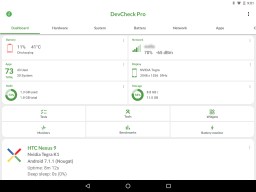
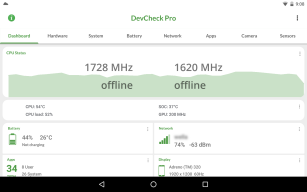
Dashboard:
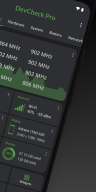
a comprehensive overview of critical device and hardware info, including real-time monitoring of CPU frequencies, memory usage, battery stats, deep sleep and uptime. With summaries and shortcuts to system settings.
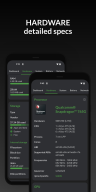
Hardware:
displays all detail about your SOC, CPU, GPU, memory, storage, Bluetooth and other hardware, including chip names and manufacturers, architecture, processor cores and configuration, manufacturing process, frequencies, governor, storage capacity, input devices and display specifications.
System:
get all info about your device, including codename, brand, manufacturer, bootloader, radio, Android version, security patch level and kernel. DevCheck can also check root, busybox, KNOX status and other info related to software and operating system.
Battery:
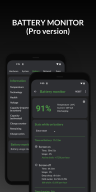
real-time info about your battery status, temperature, level, technology, health, voltage, current, power and capacity. With Pro version, get details about battery usage with the screen on and off using the Battery Monitor service.
Network:
shows info about your Wi-Fi and mobile/cellular connections, including IP addresses (ipv4 and ipv6), connection info, operator, phone and network type, public IP and more. Most complete dual SIM information available
Apps:
detailed info and management of all your apps. Running apps provides list of apps and services running on your device, with current memory usage. On Android Nougat or later, memory usage is only available on rooted devices.
DevCheck displays the most advanced camera specifications, including aperture, focal length, ISO range, RAW capability, 35mm equivalents, resolution (megapixels), crop factor, field of view, focus modes, flash modes, JPEG quality and image format, available face detection modes and more
Sensors:
a list of all sensors on the device, including type, manufacturer, power and resolution. Real time graphical info for accelerometer, step detector, gyroscope, proximity, light and other sensors.
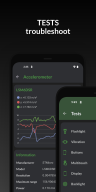
Tests:
flashlight, vibrator, buttons, multitouch, display, backlight, charging, speakers, headset, earpiece, microphone and biometric scanners (the last six tests require PRO version)
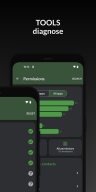
Tools:
root check, bluetooth, SafetyNet, Permissions, Wi-Fi scan, GPS location and USB accessories (Permissions, SafetyNet, Wi-Fi, GPS & USB tools require PRO)
PRO VERSION
is available through in-app purchase
The pro version includes access to all tests and tools, benchmarking, battery monitor, widgets and floating monitors.
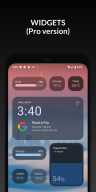
DevCheck Pro has several modern
widgets
to choose from. Show battery, RAM, storage usage and other stats right on your home screen!
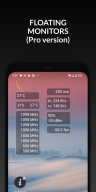
Floating monitors
are customizable, movable, always-on-top transparent windows that allow you to monitor CPU frequencies, temperatures, battery, network activity and more in real time while using other apps.
The pro version also allows you to choose different color schemes.
PERMISSIONS
DevCheck requires many permissions in order to display detailed information about your device. None of your personal information is ever collected or shared. Your privacy is always respected. DevCheck is ad-free.
Additional information
Screenshots
Reviews
Recommend Article











Similar Apps
Bridge between Mobile & Desktop

XAPK Installer: The simplest method for installing .xapk and .apk files!

Aviator, Crash, JetX, SpaceMan, GoRush, RoobetCrash Predictor

Run Switch games on your Android device seamlessly.

Find what you need with Google

Efficient file management with advanced features for Android devices.