


FlashGet Kids:parental control
Hot Novels






Install Tips
Mobile safety & integrity report for the latest package. We provide verifiable checksums and a timestamped scan summary. Latest package FlashGet Kids:parental control 1.3.2.1(103020101) scanned by multiple engines; no threats detectedas of Tue, 28 Jul 2026 11:21:02 GMT.
After downloading, use a system or third-party checksum tool to calculate the SHA256 and ensure it matches the value provided on this page (case-sensitive, without spaces).
Each engine uses different signature databases and heuristics, so results may vary slightly. We provide a timestamp and checksum to allow you to independently verify the package.
FlashGet Kids:parental control Review
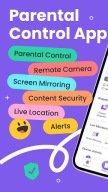
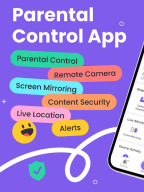
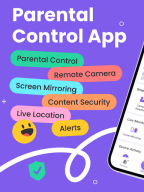
FlashGet Kids: parental control is a comprehensive remote control software for parents. With just one account, you can track your child's location and learn about their online activities through your phone. This helps ensure your child's safety and promotes good device usage habits.
What can FlashGet Kids do?
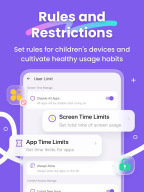
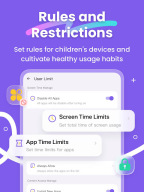
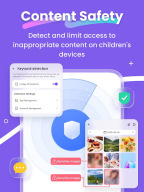
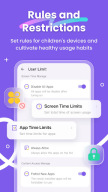
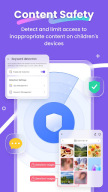
* Through intelligent content management, it helps parents understand their children's device usage, manage screen and app usage time, and create a safe online environment to keep children away from various dangers such as pornography, scams, bullying, and crime, and at the same time forms usage reports for parents to view in summary
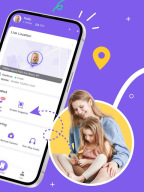
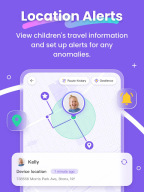
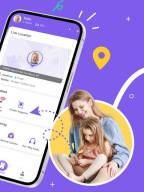
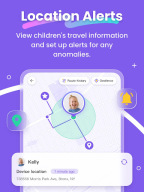
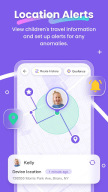
* Through the Live Location function, it helps parents achieve real-time positioning of children's devices, and can set up geo-fences to receive message reminders when entering or leaving
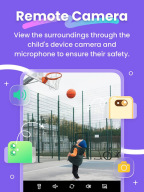
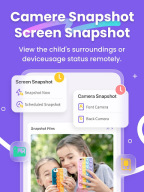
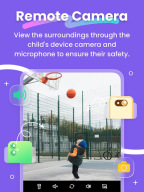
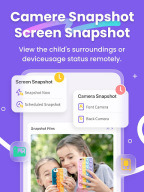
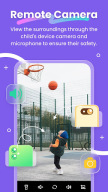
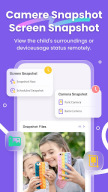
* Through Remote Camera/One-Way Audio function, it helps parents identify and understand their children's surroundings in real time, and protect their safety.
*Sync app notification function can helps you to know more about your child's chat on social media, help your child to stay far away from cyberbullying and online fraud.
Product features:
1. Real-time understanding of your child's device usage
2. Alert reminders for location tracking and GEO-Fencing
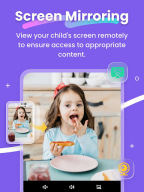
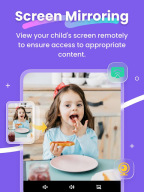
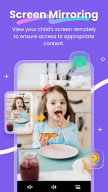
3. Remotely view and manage your child's device usage
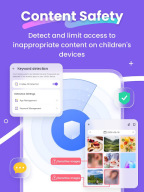
4. Discover and limit inappropriate content on children's devices
And more
Activating FlashGet Kids is simple:
1. Install FlashGet Kids on your phone
2. Connect to your child's device through an invitation link or code
3. Link your account to your child's device
Below is FlashGet Kids Privacy Policy and Terms
Privacy Policy: https://kids.flashget.com/privacy-policy/
Terms of Service: https://kids.flashget.com/terms-of-service/
Help and Support:
If you have any questions, please feel free to contact us via email: help@flashget.com
Changelog
1. New call blocking feature allows parents to customize the blocking mode, supporting the addition of numbers to black/white lists to prevent harassment and scam calls, and enables viewing of blocking records.
2. Optimized SMS Safety feature supports the identification of spam and marketing messages, as well as the customization of detection keywords.
3. Social App Detection adds subscription detection keywords, and we have preset commonly used keywords
Additional information
Screenshots

Reviews
Recommend Article











Similar Apps

All-in-one pregnancy app, contraction timer, kick counter & due date calculator

Hallobumil - The First Interactive Application in Indonesia for Mamas & Mamas-To-Be

Works with Wifi, 3G, LTE: Baby video monitor cam - nanny app for parents.

The 10 leaps in the mental development of your baby

Family Tracking App: Screen Time, Location Tracker & Website Filter

Baby months, pregnancy week tracking widget