


Floating Back Button
Hot Novels






Install Tips
Mobile safety & integrity report for the latest package. We provide verifiable checksums and a timestamped scan summary. Latest package Floating Back Button 6.0(6) scanned by multiple engines; no threats detectedas of Tue, 28 Jul 2026 11:21:04 GMT.
After downloading, use a system or third-party checksum tool to calculate the SHA256 and ensure it matches the value provided on this page (case-sensitive, without spaces).
Each engine uses different signature databases and heuristics, so results may vary slightly. We provide a timestamp and checksum to allow you to independently verify the package.
Floating Back Button Review
There are various customized navigation bar apps available on the app store. Although, the new Floating Back Button app focuses on customized back button utilities for the Android smartphone users.
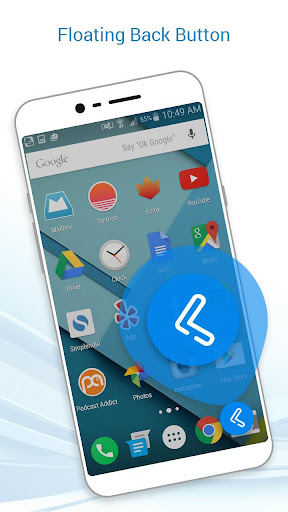
Floating Back Button app introduces the black button, wherein the user can set the position of the back button easily just by dragging it on the screen. Floating Back Button app is a readily available in-demand Android application designed by professional Android designers and developers.
Functionalities:
- Allow Floating Back Button app overlay permission.
- Allow Floating Back Button app accessibility permission.
- Turn on the toggle to access Floating Back Button app.
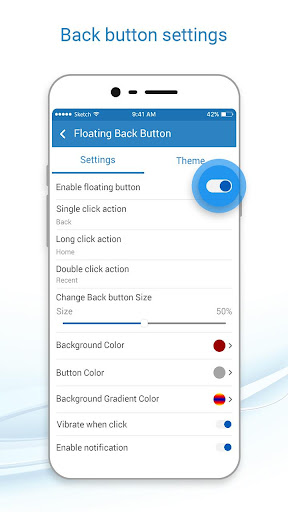
- Various customized settings to let the user hold the overall utilities.
- User-defined long press action.
- User-defined double click action.
- Modify and set Back Button size via sliders.
- Background color options.
- Button color options.
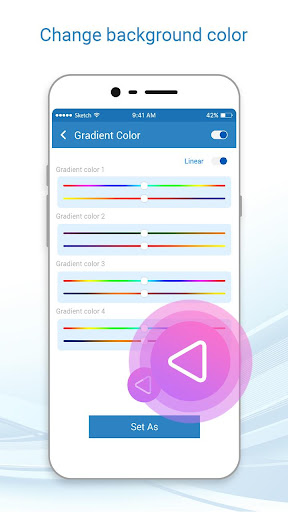
- Background gradient option.
- Background image option.
- Vibrate on Touch.
- Auto adjust in Landscape.
- Auto adjust in portrait.
- Show app notification.
- Set opacity of Navigation bar via sliders.
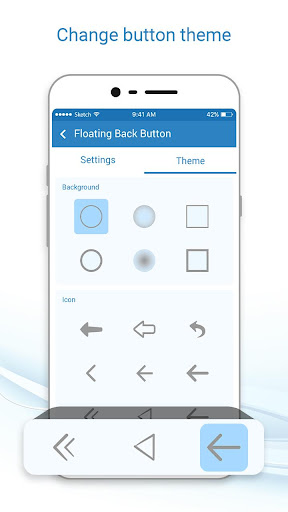
- Background and Icon theme options.
Floating Back Button app is a partial navigation utility app. Floating Back Button app allows the user to customize some tap options for smartphone. Floating Back Button app is free to install and has a quick installation process.
Floating Back Button has a simple and straightforward design and GUI. Floating Back Button app is a lightweight application, will not drain the device memory, battery and other resources. Floating Back Button app supports almost all screen resolutions of mobile and tablet devices.
Install the Floating Back Button app NOW!!!
Additional information
Screenshots
Reviews
Recommend Article





Similar Apps

Dock Generator: Live Blur + Icon Shadows + Liquid Glass

Clap to trigger a ringtone and quickly find a silent or misplaced phone.

Elevate your screen with stunning black art wallpapers.
Try something new with unique features & without Ads :)

Talk to Myself – The App for Honest Self-Reflection
HD wallpapers, forest backgrounds, 3D wallpaper with magic touch