


Office Reader - PDF,Word,Excel
Hot Novels






Install Tips
Mobile safety & integrity report for the latest package. We provide verifiable checksums and a timestamped scan summary. Latest package Office Reader - PDF,Word,Excel 4.5.5(11000455) scanned by multiple engines; no threats detectedas of Tue, 28 Jul 2026 11:28:00 GMT.
After downloading, use a system or third-party checksum tool to calculate the SHA256 and ensure it matches the value provided on this page (case-sensitive, without spaces).
Each engine uses different signature databases and heuristics, so results may vary slightly. We provide a timestamp and checksum to allow you to independently verify the package.
Office Reader - PDF,Word,Excel Review
The All-in-One App for Viewing and Converting Your Documents Offline
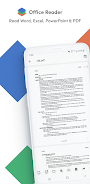
In today’s fast-paced world, having a reliable, versatile document reader on your device is essential. Whether you're a student, professional, or casual user, Office Reader stands out as a powerful and free app that lets you read, view, and convert a wide range of document types — all offline. From Microsoft Word to eBooks, PDFs to source codes, this app covers virtually everything you need to handle your files on the go.
What Makes Office Reader Different?
Unlike many apps that support only a handful of formats, Office Reader offers comprehensive file compatibility. It supports:
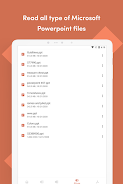
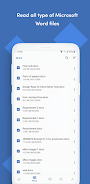
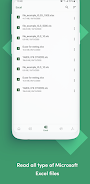
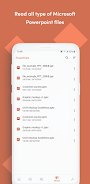
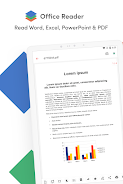
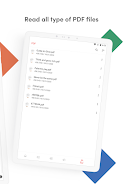
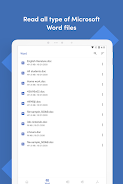
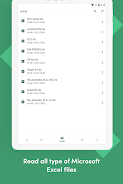
● Microsoft Office files (DOC, DOCX, XLS, XLSX, PPT, PPTX)
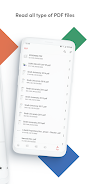
● PDFs, including password-protected ones
● Text formats such as TXT, LOG, CSV
● Web files like HTML and Markdown (MD)
●eBooks (EPUB, MOBI, AZW variants)
●Emails (EML, MSG)
● Source codes in multiple programming languages
● Mathematical formats like MathML
● And even specialized files like IPYNB notebooks and PGN chess notation
This vast format support means you don’t need multiple apps cluttering your device. Office Reader is your one-stop solution.
Powerful Features for Every User
Beyond just reading, Office Reader provides conversion capabilities, letting you transform documents between formats, such as DOCX to PDF, PPTX to TEXT, or CSV to XLSX. This functionality is especially helpful for users who need quick format changes without complex software.
The app also supports password-protected files, so you can safely open secure documents without hassle.
Additional perks include:
● Document scanning to quickly digitize physical papers
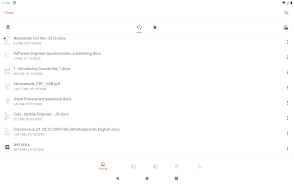
● Folder navigation for easy file management
● A handy long-press app icon menu that shows your four most recently opened documents, speeding up access
Why Users Will Appreciate Office Reader
For professionals handling reports, presentations, or code snippets, Office Reader delivers a smooth, efficient experience. Students juggling research papers and eBooks will find the app’s wide format range indispensable. The offline functionality is perfect for anyone who needs reliable document access without depending on internet connectivity.
Firsthand Experience
Using Office Reader, I found the app remarkably fast and responsive. Opening complex Excel spreadsheets or lengthy PDFs was seamless, with crisp rendering and no crashes. The conversion tools worked flawlessly, saving me time when I needed to prepare documents in different formats. Navigating folders was intuitive, making it easy to locate files amid large collections.
The app’s ability to open source code files with proper formatting also impressed me, making it an excellent tool for developers on the move.
Addressing User Pain Points
Many users struggle with having to switch between different apps to handle various document types. Office Reader solves this by combining multiple file viewers into a single app, reducing storage use and confusion.
Another common frustration is the inability to access files offline or handle password-protected documents. Office Reader’s offline reading and password support directly answer these concerns, providing a secure and accessible solution.
Final Thoughts
For anyone who works extensively with documents, whether in business, education, or personal projects, Office Reader APK is a must-have. Its wide format support, powerful conversion features, and offline capability set it apart in the crowded document viewer market.
If you want to streamline your document management, you can get Office Reader download from APKDock, where the app is kept up to date and optimized for security and performance.
FAQ
Additional information
Screenshots
Reviews
Recommend Article










Similar Apps

Gift of Hedone is an action and adventure game

Calm. Confident. Copilot. Here to help. A companion for every moment.

Transfer data to a Honor phone.

Scan docs & photo to PDF easily! Send and share as PDF with ACE Scanner app.

Markdown-based knowledge base for organized note-taking and idea linking.
Craft your story with formatting and grammar tools to ensure it’s right, always