


Pixel Camera
Hot Novels






Install Tips
Mobile safety & integrity report for the latest package. We provide verifiable checksums and a timestamped scan summary. Latest package Pixel Camera 10.0.081.808198566.40(68614546) scanned by multiple engines; no threats detectedas of Tue, 28 Jul 2026 11:29:03 GMT.
After downloading, use a system or third-party checksum tool to calculate the SHA256 and ensure it matches the value provided on this page (case-sensitive, without spaces).
Each engine uses different signature databases and heuristics, so results may vary slightly. We provide a timestamp and checksum to allow you to independently verify the package.
Pixel Camera Review
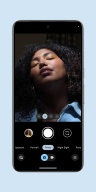
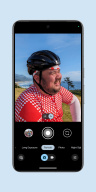
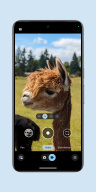
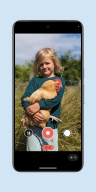
Never miss a moment with the fully redesigned Pixel Camera, and take fantastic photos and videos using features like Portrait, Night Sight, Time Lapse, and Cinematic Blur.
Take stunning photos
• HDR+ with Exposure and White Balance Controls - Take incredible photos using HDR+, especially in low-light or backlit scenes.
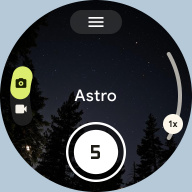
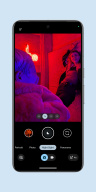
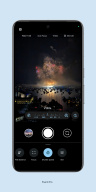
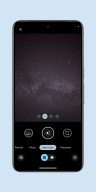
• Night Sight - You’ll never want to use your flash again. Night Sight brings out all the details and colors that get lost in the dark. You can even take photos of the Milky Way with Astrophotography!
• Super Res Zoom - Get way close from far away. Super Res Zoom makes your pictures sharper when you zoom in.
• Long Exposure - Add a creative blur to moving subjects in the scene
• Action Pan - Add a creative blur to the background while keeping your subject in focus
• Macro Focus - Vivid color and striking contrast in even the smallest subjects
Incredible videos on every take
• Record smooth videos with stunning resolution and clear audio, even in crowded, dimly lit places
• Cinematic Blur - Create a cinematic effect by blurring the background behind your subject
• Cinematic Pan - Slow down your phone’s panning movements
• Long Shot - Take casual, quick videos by simply long-pressing the shutter key while in the default photo mode
Pixel 8 Pro Exclusive Features
• 50MP High Res - Take high resolution photos with richer detail
• Pro Controls - Take even more creative control with the ability to adjust things like focus, shutter speed, and more
Requirements
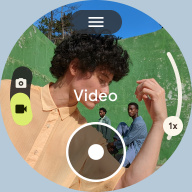
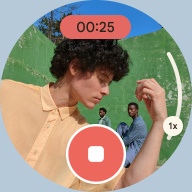
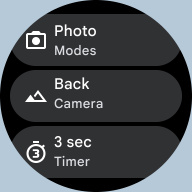
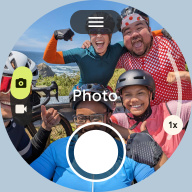
- The latest version of Pixel Camera only works on Pixel devices running Android 14 and above. The latest version of Pixel Camera for Wear OS only works on Wear OS 3 (and above) devices connected to Pixel phones. Some features are not available on all devices.
Additional information
Screenshots

Reviews
Recommend Article










Similar Apps

Add watermarks, logos, and frames to photos instantly.

Automatic Image Background Eraser - Change Backgrounds in 5 seconds

Upload your pictures to Wikimedia Commons, the reusable media repository

The professional choice of Oscar-winning directors

Photo filters and video effects! Retro and vintage presets for editing pictures!

E-Commerce Image Editor with AI