


InShot
Hot Novels



Install Tips
Mobile safety & integrity report for the latest package. We provide verifiable checksums and a timestamped scan summary. Latest package InShot 2.155.1507(1507) scanned by multiple engines; no threats detectedas of Tue, 28 Jul 2026 11:23:40 GMT.
After downloading, use a system or third-party checksum tool to calculate the SHA256 and ensure it matches the value provided on this page (case-sensitive, without spaces).
Each engine uses different signature databases and heuristics, so results may vary slightly. We provide a timestamp and checksum to allow you to independently verify the package.
InShot Review
InShot - Powerful all-in-one
Video Editor
and
Video Maker
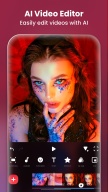
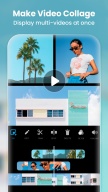
with professional features. Add music, text, transition effects for videos, make smooth slow motion, make video collage, blur background and etc! As an easy-to-use editing app, InShot makes creating vlogs a breeze and helps you to become an influencer on YouTube, Instagram, TikTok, WhatsApp, Facebook, etc.
InShot is also a
photo editor
and
collage maker
. Edit pictures and selfie, remove bg, add filters, adjust HSL, etc. Make stylish Instagram story covers and posts.
Features:
AI Tool
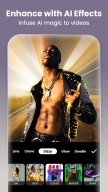
- AI Body Effects. Experience the magic of AI with instant presets that elevate your images and videos in just one tap.
- Auto Captions. AI-powered speech-to-text tool helps you say goodbye to manual text typing and makes video editing effortless.
- Auto Remove Background. Remove background of videos/photos at the touch of a button.
- Smart tracking. Make stickers/text move seamlessly in sync with your tracking object motion, adding dynamic flair to your videos.
- Smooth slow-mo. Experience seamless slow-motion effects for buttery smooth videos.
Full-featured Video Editing
- Trim/Merge clips. Combine and compress video without losing quality.
- Reverse videos.
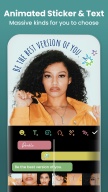
- Add text, emoji and InShot exclusive stickers.
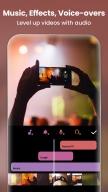
- Add music, sound effects & voice-overs.
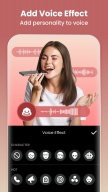
- Add various-styles voice effects.
- Adjust ratio. Fit your video and photo in any aspect ratio.
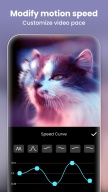
- Speed control. Speed up/slow down video. Add speed ramping.
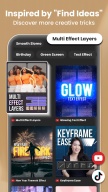
- Keyframes editing. Add custome keyframe animations.
- Chromakey. Easily edit green screen video.
- Picture-in-Picture. Create multi-layered videos.
- Mixtures. Blend your video with blend mode.
- Color picker. Pick any color on the screen and apply it to the background/text.
Filters, Effects & Transitions
- Lots of cinematic filters.
- Adjust video brightness, contrast, saturation, etc. Customized video filters and video effects.
- Unique effects such as Glitch, Fade, Noise, Beats, Weather, Retro DV, celebrate, etc.
- AI effects. Clone, stroke, auto-blur, etc.
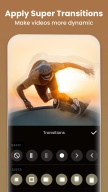
- Pro editing app with super transitions. Combine two clips with transition effects.
Photo Editor & Collage Maker
* Blur the background easily.
* 1000+ stickers, funny memes, texts & backgrounds.
* Turn blurry photos into HD with
AI Photo Enhancer
.
* Remove unwanted objects effortlessly—choose between advanced AI or quick manual tools.
* Easy-to-use photo grid collage maker. 100+ highly editable collage layouts available.
* Pic Stitch. Horizontal, vertical, or
automatically recognize subtitles
.
Canvas & Background
- Choose from various background patterns or upload your own pictures.
- Adjust video ratios for Instagram/TikTok/Youtube post.
Easy to Share
- Custom video export resolution, HD pro video editor support 4K 60fps export.
- Share your daily life on social media: Instagram Reels, TikTok, Whatsapp Status, YouTube Shorts, etc.
InShot is an editing app for videos and photos. With InShot - video maker with music, you can easily make basic video and even advanced assets like video collage, smooth slow motion, stop motion, reverse video and more. Share your vlogs to social media to get more likes, or edit video with music and pic for TikTok.
Any questions for InShot (FREE slow motion video editor with music & photo slideshow maker)? Please contact us at inshot.android@inshot.com
For more new feature tutorials and advanced video editing tips, please subscribe to our YouTube channel: https://www.youtube.com/@InShotApp
Disclaimer:
InShot is not affiliated, associated, sponsored, endorsed by, or in any way officially connected with YouTube, Instagram, TikTok, WhatsApp, Facebook, Twitter.
Changelog
- Видео стабилизатор
- Свободный стиль коллаж
- Новый пакет переходов: Размытие
- Новая наклейка: InShot Emoji
- Исправления ошибок и другие улучшения
Любые идеи или предложения? Не стесняйтесь обращаться к нам в любое время по адресу inshot.android@inshot.com !
Для получения дополнительных руководств по новым функциям и расширенных советов по редактированию видео, подпишитесь на наш канал YouTube: https://www.youtube.com/@InShotApp
Additional information
Screenshots





Reviews
Recommend Article





Similar Apps

VEO3,AI Photo to Video,AI Dance,Face Dance,Talking Photo,AI Image Generator,M2

AI Retouch & Photo Enhance

Automatic Image Background Eraser - Change Backgrounds in 5 seconds

AI for gorgeous 3D capture
One-tap remove objects, logos, text & more with AI Retouch photo editor & eraser

The all-in-one photo and video collage editor with the easiest AI remover tool