


Video Compressor-Video to MP4
Hot Novels





Install Tips
Video Compressor-Video to MP4 Review
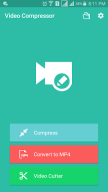
Video Compressor is a great, easy to use and totally free android application for
compressing, converting and trimming video files.
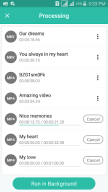
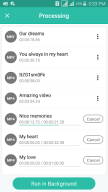
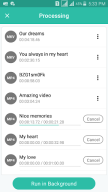
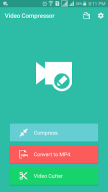
Using Video Compressor, you can convert videos to mp4 and compress big videos to save a lot of space in your android device.
With Video Cutter you can extract favorite clips from your videos.
Main Features of Video Compressor:
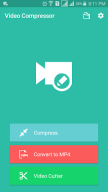
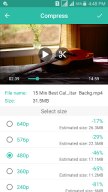
1- Compress Video
● Compress video files of any size including
4K, 2K, Full HD videos, etc.
without any limitations or fees.
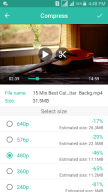
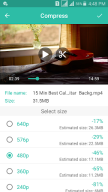
● Support various video size including
720p, 640p, 576p, 480p, 360p, 240p and 144p.
● Compress big video files without lose quality (almost as original).
● Free up a lots of space in your sdcard.
●
You can select the interval (start time and end time) in video which you need to compress.
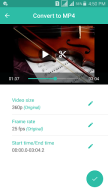
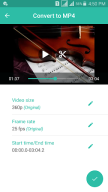
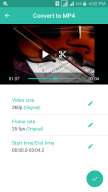
2- Convert Video to mp4
● Support various video formats including
webm, mkv, wmv, avi, asf, flv, avi, mov. etc.
without any limitations or fees.
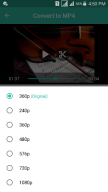
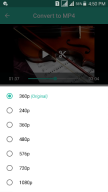
● Support various video size including
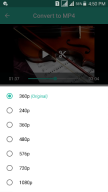
1080p, 720p, 640p, 576p, 480p, 360p, 240p and 144p.
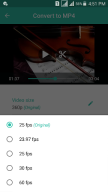
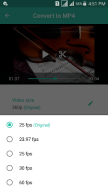
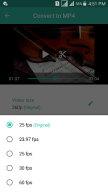
● You can change the frame rate to *60 fps, 30 fps, 25 fps and 23.97 fps.*
●
You can select the interval (start time and end time) in video which you need to convert.
● With this feature, you can convert any unsupported videos like wmv, mov,flv and others to mp4 which is totally supported by android with save the original quality.
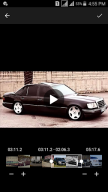
3- Cut Video
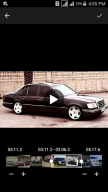
● Simple and easy video cutter.
● Support various video formats including
mp4, webm, mkv, wmv, avi, asf, flv, avi, mov. etc.
without any limitations or fees.
● Support various video formats as output including
mp4, mkv.
● With this feature you can make your own video clips with different lengths and share them with your friends.
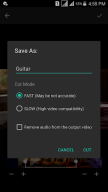
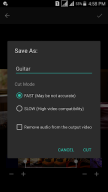
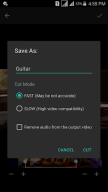
● You can extract your favorite clips using
fast mode
or
slow mode (high compatible and more accurate) trim.
.
●
You can remove audio from your favorite clips.
The good news is we don't create any watermark in videos.
We think you will love our application because you can create favorite clips with different lengths and size in your android device, then share them to social media like YouTube, Facebook, WhatsApp, Twitter, etc.
Feel free to share with us any suggestions or questions which make our app great more and more.
Any suggestions or questions, please contact us through
bdroid.791@gmail.com
.
Changelog
* Fix some issues
Additional information
Screenshots
Reviews
Recommend Article








Similar Apps

AI video editor for action figure video, ai hug, makeup & face retouch

Easily share quotes with sound and WAStickers
Powerful video player with Support all video formats. Lock your video easily.

Zeemo: The AI video generator and video subtitle tool for creating viral videos.

Powerful video player with advanced hardware acceleration and subtitle supports

Selfie video makeup editor for easy retouching of face, eyes, and mouth!